

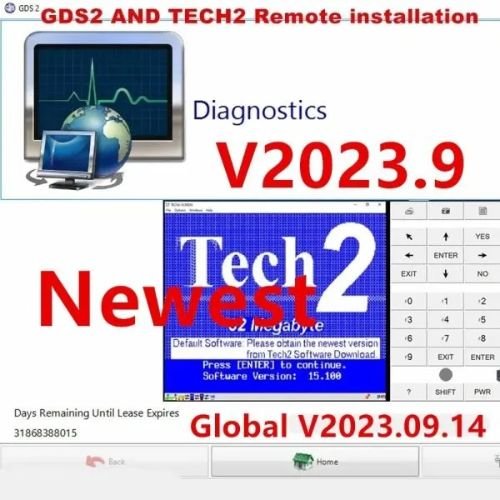

The GM MDI (Multiple Diagnostic Interface) and MDI 2 utilize two primary diagnostic software applications to service General Motors vehicles: GDS2 (Global Diagnostic System 2) for newer models and Tech2Win (Tech2 for Windows) for legacy vehicles.
Official diagnostic setups, licenses, and official updates must be acquired through ACDelco TDS (Techline Customer Support). Third-party providers often offer pre-configured versions bundle packages.
🗺️ Overview of GM Diagnostic Software
| Software | Vehicle Coverage | Purpose | Requirements |
| GDS2 | 2010 to Present Day | Full dealer-level diagnostics, module reading, and live data | Local PC execution, Win10 64-bit for online programming |
| Tech2Win | 1996 to 2013 | Emulates the physical Tech2 handheld scanner on a PC window | Supports offline programming for pre-2009 models |
📦 Current Marketplace Packages & Third-Party Options
If you are looking for non-subscription hardware and software bundle options, global automotive suppliers provide the software in multiple formats:
- Alternative J2534 Hardware: Tools such as the Topdon Rlink X7, Tabscan,VXDIAG VCX Nano for GM serve as highly affordable alternatives to original MDI hardware while remaining fully compatible with GDS2 and Tech2Win. [1]
- 3-in-1 Programming Bundles: Many Jabedul Dewan Trading Diagnostic Software Packages bundle GDS2, Tech2Win, and DPS 4.56 (Development Programming System) together, accompanied by remote UltraViewer setup assistance.
⚙️ Basic Setup and Installation Steps
When manually deploying a standard software environment using J2534 passthru managers (like VX Manager), the sequence generally includes:
- Install GDS2: Run the exe configuration file locally.
- Install Tech2Win: Execute the exe file and accept security certificates from gm.com.
- Install the Driver Manager: Install your hardware interface tool application (e.g., VX Manager), and select the GM and PASSTHRU
- Firmware and Licenses: Connect the MDI tool to the PC via USB or Wi-Fi, run the device management software, and update your firmware to avoid communication errors.
Note: For programming modules on vehicles manufactured after 2009, an active GM online account and a paid SPS (Service Programming System) subscription through Techline Connect are required.
If you’d like, let me know:
- Do you already own the MDI/MDI2 hardware, or are you looking to buy a hardware package?
- What specific years and models of GM vehicles are you planning to service?
- Do you require offline diagnostics or online module programming?
I can help point you toward the most stable software setup or device choice for your goals.

Reviews
There are no reviews yet.