

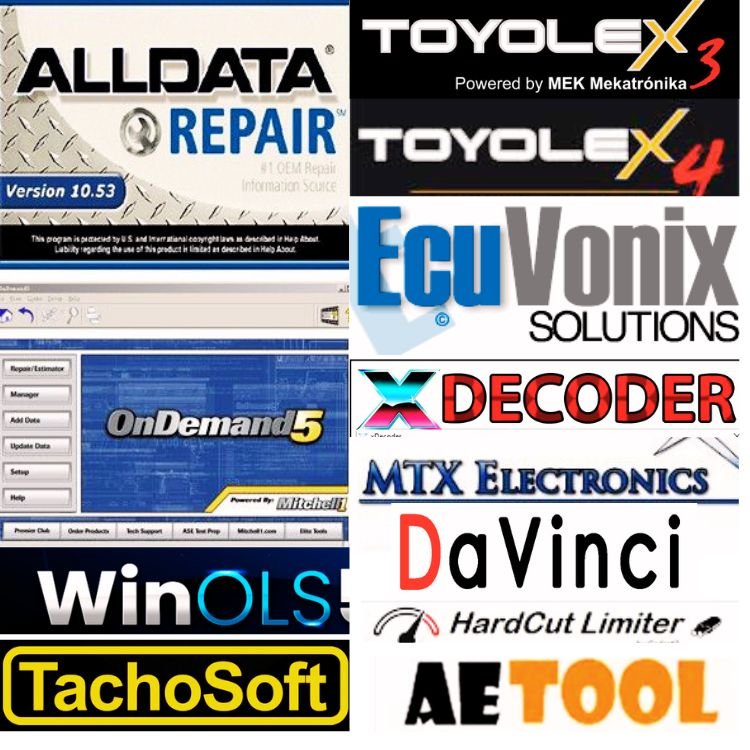

“All Data 10.53 Offline” refers to an automotive repair and diagnostic software package. While ALLDATA is a professional, online-based OEM repair information service, the 10.53 version is widely circulated as an offline-only solution typically sold on third-party marketplaces like Jabedul Dewan Trading Dubai, United Arab Emirates
Key Features of Version 10.53
Offline Functionality: Once installed, it requires no internet connection, making it suitable for shops with limited connectivity.
Data Scope: It primarily covers vehicle diagnostic and repair data from 1982 up to approximately 2014. (Note: Newer versions up to 2026 typically require an online subscription).
Comprehensive Database: Includes wiring diagrams, step-by-step repair procedures, torque specifications, fluid capacities, and diagnostic trouble codes (DTCs).
Included Add-ons: It is often bundled with other technical databases such as ATSG (Automatic Transmission Service Group) and Mitchell OnDemand.
Technical Details
Storage Requirements: The software is massive, often requiring between 120 GB and 570 GB of storage space. It is frequently sold on external hard drives (HDD/SSD) due to its size.
System Compatibility: Designed for Windows operating systems, including Windows XP, 7, 8, 10, and 11.
Installation: Because it is unofficial software, sellers often advise users to disable anti-virus software during installation to prevent the “crack” or license bypass from being flagged.
Would you like more details on how to install it or its compatibility with specific vehicle brands?
Mitchell OnDemand 5 is a comprehensive automotive repair software designed to help technicians and shop owners access accurate diagnostic data, repair procedures, and labor estimation tools.
Originally released as a desktop-based application (often distributed via DVD), it has largely been succeeded by Mitchell 1’s cloud-based platform, ProDemand.
Key Features
Comprehensive Database: Includes information for domestic and import vehicles from roughly 1983 to the present, featuring OEM (Original Equipment Manufacturer) data.
Repair & Diagnostics: Provides step-by-step procedures, technical service bulletins (TSBs), recalls, and troubleshooting guides.
Estimator Tool: Helps shops calculate precise labor times and parts pricing to create professional customer quotes.
Wiring Diagrams: Features detailed, searchable color wiring diagrams to help resolve complex electrical issues.
Maintenance Schedules: Outlines factory-recommended service intervals, fluid types, and volumes.
Mitchell OnDemand 5 vs. ProDemand
While both provide the same core data, Mitchell OnDemand 5 was the legacy version optimized for offline or small-shop use. The modern ProDemand is a web-based “1Search Plus” platform that updates automatically and offers advanced features like “SureTrack” real-world fixes and mobile tablet optimization.
Availability
Subscription: Mitchell 1 typically operates on a lease model; for example, ProDemand is priced around $194 per month.
Legacy Versions: Older versions like 5.8 are sometimes found as archived DVD sets or integrated into diagnostic hard drives for specific shop setups.
Are you looking for a specific vehicle’s repair manual, or are you trying to set up software for an entire shop? you can Buy Jabedul Dewan Trading they Give you free installation Service.
ToyoLex 3 and 4 are specialized ECU (Engine Control Unit) tuning and diagnostic software tools designed specifically for Toyota and Lexus vehicles equipped with Denso ECUs. They are primarily used by automotive professionals and enthusiasts to modify vehicle firmware for performance optimization or repair.
ToyoLex 3: The Multi-Function Tuning Tool
ToyoLex 3 is a comprehensive solution for modifying binary files across multiple generations of Denso ECUs (Gen 1, 2, and 3) for diesel, gasoline, and hybrid engines.
Key Functions: It is used to disable or bypass various vehicle systems, including:
Emissions Systems: DPF (Diesel Particulate Filter), EGR (Exhaust Gas Recirculation), AdBlue/SCR, and Catalyst/Lambda sensors.
Performance & Hardware: SAP (Secondary Air Pump), Valvematic, AGS (Active Grille Shutter), and Vmax (speed limiter) correction.
DTC Management: Provides a grid to search and erase specific Diagnostic Trouble Codes (P, B, and U codes).
Compatibility: Works with standard binary files from flashing tools like Kess, K-Tag, and Autotuner.
ToyoLex 4: The Immobilizer Specialist
ToyoLex 4 (often referred to as the Black Diamond Edition) focuses heavily on Immobilizer (IMMO) systems.
Core Feature: It features an exclusive algorithm that allows for “One-Click” Immobilizer Disable directly through the Flash file.
OBD-II Integration: Unlike many other tools, it can often perform IMMO off tasks through the OBD-II port without requiring the user to physically open the ECU.
Hybrid Limitation: While it supports a wide range of Emissions Systems: DPF (Diesel Particulate Filter), EGR (Exhaust Gas Recirculation), AdBlue/SCR, and Catalyst/Lambda sensors.
Performance & Hardware: SAP (Secondary Air Pump), Valvematic, AGS (Active Grille Shutter), and Vmax (speed limiter) correction.
DTC Management: Provides a grid to search and erase specific Diagnostic Trouble Codes (P, B, and U codes).
Compatibility: Works with standard binary files from flashing tools like Kess, K-Tag, and Autotuner.
ToyoLex 4: The Immobilizer Specialist
ToyoLex 4 (often referred to as the Black Diamond Edition) focuses heavily on Immobilizer (IMMO) systems.
Core Feature: It features an exclusive algorithm that allows for “One-Click” Immobilizer Disable directly through the Flash file.
OBD-II Integration: Unlike many other tools, it can often perform IMMO off tasks through the OBD-II port without requiring the user to physically open the ECU.
Hybrid Limitation: While it supports a wide range of diesel and gasoline engines, it generally does not support hybrid vehicles for its specialized IMMO functions.
Comparison Summary
Feature ToyoLex 3 ToyoLex 4 (BDE)
Primary Focus General Tuning & Emissions Delete Immobilizer (IMMO) Disable
Engine Types Diesel, Gasoline, Hybrid Diesel & Gasoline (No Hybrid support)
Generations Gen 1, 2, 3 Gen 1, 2, 3 (with newer MCU support)
Key Capability DPF/EGR/AdBlue Off One-click IMMO Off via OBD-II
Important Note: Using this software to disable emissions systems or bypass security features may be illegal for road-going vehicles in many jurisdictions and is typically intended for off-road or track use only.
Are you looking for information on how to install this software, or do you need help with a specific ECU model?
ECU Vonix software (commonly known as IMMO Universal Decoding) is a professional automotive tool used to manage and repair Engine Control Unit (ECU) immobilizer codes. It is primarily used by technicians to fix “starting” issues caused by immobilizer lockouts or when replacing an ECU with a used unit from another vehicle.
Key Functions
The software works by processing “dump” files read from an ECU’s memory using a separate hardware programmer. Its main features include:
IMMO Off: Completely deactivates the vehicle’s immobilizer system so the car can start without a programmed key.
Virginizing: Resets a used ECU to its factory (virgin) state, allowing it to be recoded to a new vehicle as if it were a new part.
Repairing: Fixes corrupted immobilizer codes within the ECU data to restore normal operation.
PIN Extraction: Calculates the security PIN code from the ECU data, which is often required for key programming.
Technical Specifications
Software Version: The most widely distributed versions are V3.2 and V4.5.
Compatibility: It supports over 10,000 car models across approximately 61–68 brands, including BMW, Audi, Volkswagen, Fiat, and Toyota.
Operating System: Typically requires older systems like Windows XP or Windows 7 (32-bit) to run properly.
Hardware Required: It does not connect directly to the car; it requires a programmer like the UPA-USB, WELLON, or Galep to first read the ECU file.
Important Considerations
Professional Tool: It is designed for users with technical knowledge of automotive electronics. Incorrect use can permanently damage an ECU.
Security Software: Antivirus programs often flag this software as a “false positive” because it contains “cracks” or specialized scripts to modify protected ECU data.
Backups: Technicians recommend always saving a backup of the original ECU data before using Vonix to ensure the car can be restored if the modification fails.
Are you looking for help with a specific car model or trying to set up the hardware programmer for this software?
Xdecoder 10.3 is an automotive diagnostic software tool designed specifically to remove Diagnostic Trouble Codes (DTCs) and disable specific error masks within Engine Control Unit (ECU) firmware files. It is primarily used by mechanics, tuners, and car enthusiasts for vehicle “remapping” and error code management.
Key Functions & Features
DTC Removal (DTC OFF): The software allows users to locate specific error codes in a vehicle’s firmware and disable them, effectively preventing the “check engine” light from appearing.
Wide ECU Compatibility: It supports a broad range of ECU brands and models, including:
Bosch: EDC15, EDC16, EDC17, ME7, MED9, and MED17.
Delphi: DCM3.5, CRD2, and CRD3.
Continental/Siemens: SID208, SID807, and SIM266.
System Disabling: It can be used to address issues with specific systems such as EGR (Exhaust Gas Recirculation), intake, and emission control components.
Chip Tuning & Remapping: Beyond simple error clearing, it is often utilized as part of a performance tuning workflow to modify how the ECU handles specific sensor data or mechanical states.
Usage and Requirements
Platform: It is designed to run on Windows-based laptops.
Digital Format: The software is typically sold as a digital download (often via AliExpress or Etsy) and often includes a “keygen” for license activation.
Risk Note: Using this software to disable emissions-related warnings may be illegal depending on local regulations, as it can affect vehicle compliance. Sellers often note that users should use the software at their own risk.
Would you like to know if Xdecoder 10.3 is compatible with a specific car brand or ECU model?
WinOLS is a professional-grade binary editing software primarily used by automotive tuners to modify the firmware inside an Engine Control Unit (ECU). Developed by the German company EVC Electronic, it is widely considered the industry standard for “remapping” or “chiptuning” vehicles.
Core Functions
Map Identification: It scans raw binary data from an ECU to find “maps”—the tables that control engine parameters like fuel delivery, ignition timing, and turbo boost pressure.
Binary Editing: Unlike simpler “plug-and-play” tools, WinOLS allows for manual, byte-level editing in 2D, 3D, and hexadecimal views.
Checksum Correction: It includes built-in algorithms (often via plugins) to ensure that the modified file’s mathematical integrity is maintained, preventing the vehicle’s ECU from rejecting the file or “bricking”.
Project Management: It stores all modifications as different “versions” within a single project file, allowing tuners to easily compare changes or revert to the original factory settings.
Key Characteristics
Advanced Learning Curve: It is not a beginner-friendly “one-click” app. It requires a deep understanding of ECU architecture and pattern recognition to identify maps that aren’t automatically labeled.
Versatility: While many commercial tools only support specific car models, WinOLS can technically be used to edit any ECU file, whether it’s for a car, motorcycle, boat, or truck.
Workflow Integration: WinOLS is an editor, not a flasher. You typically need separate hardware (like Alientech KESS3 or Autotuner) to read the original file from the car and then “write” the modified WinOLS file back to it.
Cost and Availability
Pricing: The software is a significant investment, typically costing around $999 USD for the full license, with additional costs for specific checksum plugins or map packs.
Demo Version: A free demo version is available for practice, though it does not allow you to export or save your work.
Are you looking for training courses to learn how to use WinOLS, or do you need help choosing compatible hardware for reading and writing ECU files?
The term “DaVinci” in the automotive industry typically refers to two very different types of software, depending on whether you are an engineer designing vehicles or a mechanic repairing them:
1. Vector DaVinci (For Automotive Engineering)
Developed by Vector Informatik, this is a professional-grade tool suite used by car manufacturers and suppliers to design the internal computer systems (ECUs) found in modern vehicles. It is a cornerstone of the AUTOSAR (AUTomotive Open System ARchitecture) standard.
DaVinci Developer Classic: Used to design the architecture of software components and their interfaces within an ECU.
DaVinci Configurator Classic: Used to configure and generate the basic software and runtime environment that makes the hardware function.
Key Use Case: Used during the development phase of a vehicle to ensure different electronic components can communicate reliably.
2. DaVinci Deluxe Edition (For Vehicle Repair & Tuning)
This is a diagnostic and “remapping” software designed for workshops and automotive electronics specialists. It is used to modify the existing software on a vehicle’s ECU to solve specific mechanical or emission-related issues.
Core Functions: It allows technicians to deactivate or “delete” specific systems that may be failing or causing error codes, such as:
DTC: Removing Diagnostic Trouble Codes (error lights).
Emissions: Managing DPF (Diesel Particulate Filter), EGR (Exhaust Gas Recirculation), and AdBlue (SCR) systems.
Performance: Handling Start/Stop systems, Speed Limiters, and “Limp Mode”.
Usage: It uses a “token” system where each file modification costs a credit, making it popular for independent repair shops.
Are you looking for information on how to use these tools for professional ECU development, or are you interested in using them for car repair and tuning?
TachoSoft is a digital mileage calculator and odometer correction software used primarily by automotive technicians and DIY enthusiasts to adjust or reset digital odometer readings. It functions as a database and calculation tool that provides the specific hex data or “offsets” needed to change mileage values within a vehicle’s EEPROM or instrument cluster memory.
Key Features and Functions
Massive Vehicle Support: The latest version (v23.1) supports over 2,500 car models across brands like BMW, Ford, Volkswagen, Toyota, and Audi.
Mileage Calculation: It allows users to input a desired mileage and then generates the corresponding data (hexadecimal code) that must be written to the vehicle’s computer chip.
User Interface: Designed to be intuitive, the software displays the exact location (position) where the mileage data is stored in a program file, making it easier for users to perform the change themselves.
Software-Based Tool: It is often sold as a downloadable program or as part of a larger diagnostic kit that includes EEPROM programmers.
Common Use Cases
Instrument Cluster Replacement: When a damaged dashboard is replaced with a used one, TachoSoft is used to sync the new dashboard’s mileage with the vehicle’s actual mileage.
Repair & Maintenance: Correcting data errors that may occur during electronic repairs.
Fleet Management: Tracking and analyzing travel patterns and expenses for business operations.
Important Note: In many jurisdictions, altering an odometer reading to misrepresent a vehicle’s true mileage is illegal. This software is intended for legitimate repair and calibration purposes.
Are you looking for a specific version of TachoSoft, or do you need help understanding how to connect a vehicle to a computer for these adjustments?
Automotive AETOOL (specifically AETOOL V1.3) is a specialized diagnostic software used for ECU (Engine Control Unit) decoding and security management. It is primarily designed for automotive technicians and locksmiths to perform deep-level modifications to a vehicle’s electronic systems.
Key Functions
The software provides capabilities for managing and modifying data within the ECU, including:
ECU Virginizing: Preparing a used ECU for reconfiguration so it can be integrated into a different vehicle system.
PIN Code Retrieval: Accessing security codes necessary for legitimate key programming and maintenance.
Data Analysis: Accessing and interpreting the technical data stored within various engine control units for diagnostic purposes.
Professional Context
In the automotive industry, “AE Tools” is associated with professional-grade diagnostic hardware and technical support used by certified technicians. The AETOOL software (specifically V1.3) is used by professionals with specialized knowledge in hex editing and electronic control systems to perform advanced technical repairs.
Are there specific technical specifications or diagnostic procedures being researched?
Be the first to review “Automobile Repair Software Collection 1000GB Data ALLDATA, MITCHELL, Toyolex3/4, Xdecoder, Airbag, Odo, Radio, ECM Dump File Many More Continue Updateing”
Related products

Reviews
There are no reviews yet.