

<iframe width=”780″ height=”439″ src=”https://www.youtube.com/embed/tBvUE0n2Ppc” title=”how to use a Thinkdiag” frameborder=”0″ allow=”accelerometer; autoplay; clipboard-write; encrypted-media; gyroscope; picture-in-picture; web-share” referrerpolicy=”strict-origin-when-cross-origin” allowfullscreen></iframe>
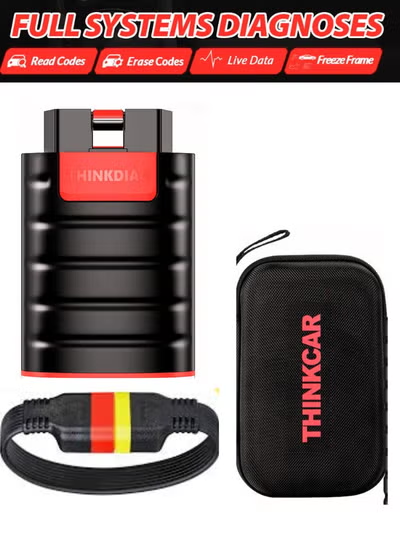
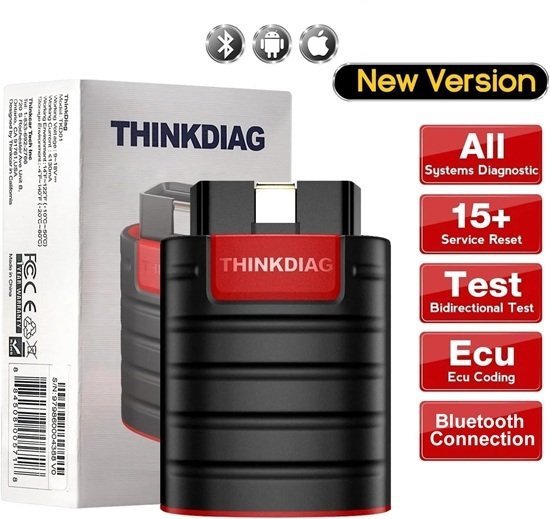
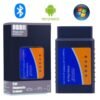
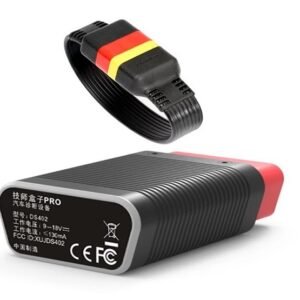
The Thinkcar Thinkdiag TKD01 is a portable, Bluetooth-based OBD2 scan tool designed to provide “OE-level” (original equipment) diagnostic capabilities through a smartphone or tablet. It consists of a compact dongle that plugs into a vehicle’s OBD2 port and pairs with the ThinkDiag+ app.
Key Features
Full System Diagnosis: Unlike basic code readers, it can scan all electronic control units (ECUs), including the engine, transmission, ABS, SRS (airbags), body control module (BCM), and more.
Bi-Directional Control: Also known as “actuation tests,” this allows the tool to send commands to specific components to test their operation, such as turning on a radiator fan, opening/closing windows, or testing fuel pumps.
15+ Maintenance Reset Functions: Supports common service tasks like Oil Reset, ABS Bleeding, Injector Coding, SAS (Steering Angle) Reset, and BMS (Battery) Matching.
ECU Coding: Allows for reflashing vehicle control modules to match replaced components or unlock hidden features (specific to certain brands like BMW, Mercedes-Benz, and Audi).
Live Data & Graphing: Provides real-time data streams from vehicle sensors, which can be viewed in list or graphical formats for deeper analysis.
Technical Specifications & Compatibility
Connectivity: Connects via Bluetooth to Android and iOS devices.
Vehicle Coverage: Supports over 115 major vehicle manufacturers worldwide for cars made after 1996.
Auto-VIN: Automatically identifies the vehicle’s VIN, model, and year to simplify the setup process.
Design: A palm-sized “dongle” with an LED ring that indicates status (e.g., green for power, blue for Bluetooth connection).
Software & Subscription Model
The Thinkdiag TKD01 typically operates on a subscription-based model after an initial trial period:
Initial Purchase: Often includes access to all manufacturer software and maintenance functions for one or two years for free.
Free Lifetime Functions: Basic OBDII functions (reading/clearing generic engine codes, I/M readiness) are generally free for the life of the device.
For those looking for newer vehicle support, the Thinkdiag 2 is a common successor that adds support for the CAN-FD protocol, required for many GM vehicles manufactured after 2020.
Would you like to know if this specific tool is compatible with your car’s make and model?
You can buy the Thinkcar ThinkDiag TKD01 OBD scan tool directly from Jabedul Dewan Trading Co, LLC, which is an authorized dealer for Thinkcar in Dubai.
Jabedul Dewan Trading Co, LLC
This store is a specialized importer and seller of automotive diagnostic equipment and serves as an authorized dealer for Thinkcar.
Location: Shop F98, 1st Floor, Al Fahidi Souk (near Nesto Hypermarket), Meena Bazaar, 64 St, Bur Dubai, Dubai, UAE.
Contact Number: +971 50 997 0171.
Operating Hours: Daily from 9:00 AM to 11:00 PM (
Website: auto-scan-tool.com.
Payment Methods: Accepts cash, credit cards, debit cards, and NFC mobile payments.
How to renew Thinkdiag
To renew your Thinkdiag subscription using a T-code, follow these steps:
Obtain your T-code: Purchase the renewal from an authorized seller or the official Thinkcar website. After payment, the code is typically sent to your registered email address.
Open the ThinkDiag+ App: Ensure you have the latest version of the app installed on your smartphone or tablet.
Access the ThinkStore: Tap the shopping cart icon located in the bottom navigation bar of the app.
Enter the T-code:
Look for the “T-CODE” or “SOFTWARE EXCHANGE” option, usually located at the top right of the screen.
Carefully enter your unique T-code into the empty field.
Confirm Exchange: Click “Exchange Code” or “Activate Now” to complete the renewal.
Important Notes:
Device Compatibility: T-codes are specific to the standalone Thinkdiag (TKD01) or Thinkdiag 2 devices; ensure you purchased the correct version for your hardware.
Software Benefits: Renewing with a T-code typically grants one year of access to all manufacturer software, 15+ reset functions, and full bi-directional control.
Serial Number: Some sellers may require your device’s serial number (found on the back of the dongle) to generate or activate the code for you.
Would you like help finding the latest firmware update for your Thinkdiag device?
You can buy Thinkcar T-Code software renewals and related diagnostic tools from Jabedul Dewan Trading LLC in Dubai through several official channels. As a virtual product, the T-Code is typically delivered via email immediately after purchase.
Online Purchase Channels
Amazon UAE Storefront: Jabedul Dewan Trading LLC maintains an active Amazon.ae store where they list Thinkcar products, including software activation for ThinkDiag.
Official Website: You can browse their full catalog and inquire about international shipping at auto-scan-tool.com.
WhatsApp Direct: For immediate assistance with global delivery and software activation codes, you can contact them directly via WhatsApp or at +971 50 997 0171.
Amazon.ae
Store Information
Location: Shop F98, 1st Floor, Al Fahidi Souk (Meena Bazaar), 33C Street, Bur Dubai, UAE.
Operating Hours: Daily from 9:00 AM to 11:00 PM.
Dealer Status: They are an Authorized Dealer for Thinkcar, Jdiag, TopDiag, and Humzor.
Important Details about Thinkcar T-Code
Delivery: T-Code is a virtual software product. Once purchased, the code is sent to your email or provided via message.
Non-Refundable: Because it is a digital activation code, it cannot be returned once sold.
Function: It is used for software renewals (e.g., 1-year free renewal for ThinkDiag) and does not include physical hardware unless purchased as a bundle.
Would you like to know the current price for a specific T-Code renewal, or do you need help activating the code once you receive it?
Reviews
There are no reviews yet.