



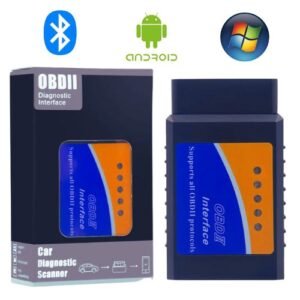
The Vgate iCar Pro Bluetooth 4.0 (BLE) is a high-quality OBDII diagnostic tool designed to read and clear engine fault codes and monitor real-time vehicle data via a smartphone. It is widely used to reset the “Check Engine” light (MIL) and perform basic vehicle health checks.
Key Features
Broad Compatibility: Works with 12V petrol vehicles made after 1996 (US) or 2001 (Europe), and light diesel vehicles.
Dual OS Support: Fully compatible with both iOS and Android devices using Bluetooth 4.0 Low Energy.
Auto-Sleep/Wake: Features a power-saving mode that automatically puts the device to sleep after 30 minutes of inactivity to protect your car battery.
Fast Data Processing: Uses an ARM processor to allow up to 30 PIDs (Parameter IDs) per second for smooth real-time monitoring.
Supported Applications
The device does not have its own app but works with various third-party OBDII software:
Android: Torque Pro/Lite, Car Scanner ELM OBD2, OBD Fusion, JScan, and BimmerCode.
iOS: Car Scanner ELM OBD2, OBD Fusion, OBD Auto Doctor, and BimmerCode.
How to Use
Plug and Power: Locate the OBD2 port (usually under the dashboard) and plug in the adapter. Turn the car’s ignition to the “On” or “Run” position.
Bluetooth Connection:
iOS: Enable Bluetooth in settings, but do not pair through system settings. Open your chosen app and select “Bluetooth 4.0” or “BLE” in the app’s connection settings.
Android: Search for “Android-Vlink” in Bluetooth settings and pair using the code 1234 if prompted.
Diagnosis: In the app, navigate to “Diagnostic Trouble Codes” (DTC) to read faults. Use the “Clear” or “Reset” button to turn off the check engine light.
Would you like a recommendation for a specific app based on your car’s make and model?


Reviews
There are no reviews yet.