

GTS+ Software Download
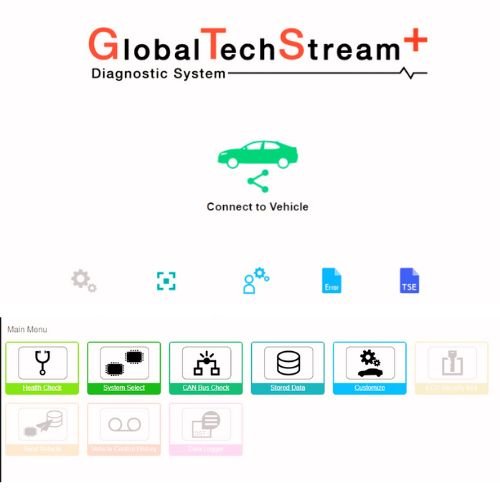
The GTS+ Online Login Service (1 Year) is a professional-grade diagnostic software subscription for Toyota, Lexus, and Scion vehicles. It is the successor to the classic Techstream software, offering a browser-based interface and enhanced diagnostic speed.
Key Features & Capabilities
Dealer-Level Diagnostics: Provides access to advanced functions like reading/clearing DTCs, live data monitoring, and freeze-frame data.
Broad Vehicle Support: Supports Toyota and Lexus models globally from the 1990s through the 2025 model year.
Advanced Procedures: Enables ECU reprogramming, ADAS calibration (radar/camera axis adjustment), and bi-directional controls.
Global/All Region Access: Unlike some region-locked tools, this “All Region” version typically supports models marketed in North America, Europe, and Asia within a single interface.
Subscription Details
Duration: Valid for one year from the date of activation.
Device Limit: Usually restricted to one computer per order; changing the PC typically requires a new license.
Connectivity: Most 1-year services sold through third-party vendors are offline versions, meaning they can be used without a constant internet connection after initial setup.
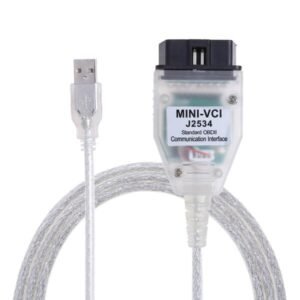
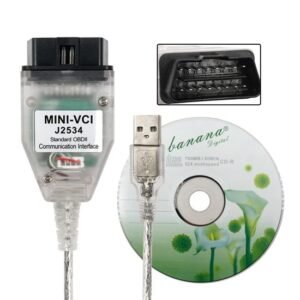
Hardware Required: Requires a J2534-compliant pass-thru device (like a DrewTech CarDAQ or Mongoose-Plus, ISSBD Universal J2534, sm2 pro, scanmatik, pcmtuner, launch j2534, autel j2534, topdon j2534) to connect the PC to the vehicle.
System Requirements
To run the GTS+ software efficiently, your PC should meet these minimum specs:
OS: Windows 10 or 11 (64-bit).
Processor: Intel i3 or better.
Memory: At least 4GB RAM (8GB recommended).
Storage: 5GB to 15GB of available disk space.
Note: While this service provides full diagnostic access, it often does not support security key functions (like immobilizer resets or key programming) without additional official NASTF clearance and a Professional Diagnostic TIS subscription.
Do you already have a J2534 interface cable, or do you need recommendations for a compatible hardware device?
You can purchase the GTS+ online login service (1 year) for Toyota and Lexus directly from Jabedul Dewan Trading LLC in Dubai. They are a specialized automotive service provider located in the Al Fahidi Souq area and offer services worldwide through various online platforms.
Where to Buy & Contact Details
You can reach out to them or purchase their services via the following channels:
WhatsApp (Direct Service): Contact them directly at +971 50 997 0171 for the fastest response regarding login activations and worldwide service.
Amazon UAE Store: They operate a merchant store on Amazon.ae, where they list various Toyota/Lexus diagnostic tools, including Techstream cables with online installation support.
Physical Location: If you are in Dubai, you can visit their shop at Shop Number F98, Al Fahidi Souk DM Market, Bur Dubai, Dubai.
Noon UAE: Some of their diagnostic products, like the Global Techstream GTS tool, are also available on Noon.com.
Service Details
Product: GTS+ (Global Techstream Plus) 1-Year Online Access.
Compatibility: Supports Toyota and Lexus vehicles across all regions, including the latest models.
Features: Includes online programming, security key functions (for specific versions), transmitter key duplication, and TSS calibration.
Worldwide Availability: As noted in your query, they offer remote installation and activation services that can be accessed globally.
Would you like to know the current pricing for the 1-year activation, or do you need help with the software requirements for your laptop?

Reviews
There are no reviews yet.