

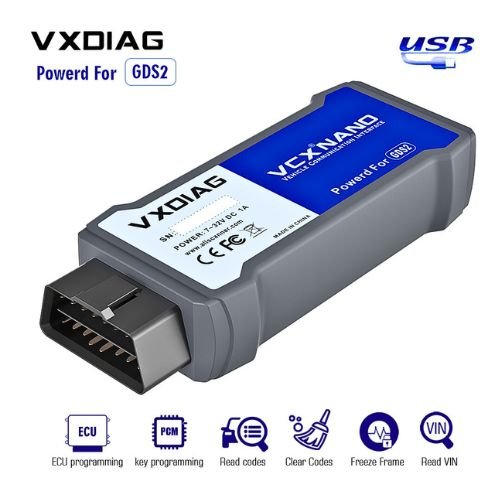
The GM GDS2 Diagnostic Tool is a professional-grade software suite used to perform dealer-level diagnostics on modern General Motors vehicles (approximately 2010–2026). It is part of a system that often includes the VXDIAG VCX Nano, a hardware interface that connects your computer to the vehicle’s OBDII port.
Core Components of the System
GDS2 (Global Diagnostic System 2): The current software for diagnosing “Global A” and “Global B” architecture vehicles (2010/2014 to present). It handles advanced tasks like reading/clearing codes, viewing live data, and performing bi-directional tests (e.g., activating fuel pumps or fans).
Tech2Win: A software emulator that mimics the classic handheld Tech 2 scanner. It is used for older GM vehicles, typically from 1996 to 2013.
VXDIAG VCX Nano: A cost-effective, third-party hardware interface (VCI) that replaces the expensive original GM MDI/MDI2. It supports both GDS2 and Tech2Win software.
SPS2 (Service Programming System): Used for ECU programming and software updates, typically requiring a paid online subscription from ACDelco TDS.
Key Features & Capabilities
Full System Access: Scans all modules including Engine, Transmission, ABS, SRS (Airbags), and Body Control.
Bi-Directional Control: Allows you to command vehicle components to test their functionality.
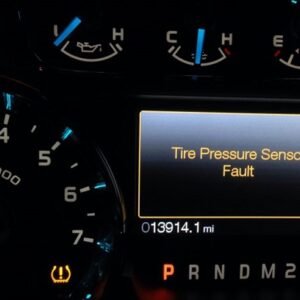
Special Functions: Supports maintenance tasks like ABS Bleeding, TPMS Reset, Steering Angle Calibration, and Key Programming.
Faster Programming: The VCX Nano can be 20% to 70% faster at reprogramming ECUs than the original Tech 2 handheld device.
Vehicle Coverage: Supports Chevrolet, Buick, GMC, Cadillac, and international brands like Opel, Saab, and Holden.
Setup Requirements
Hardware Connection: Available in USB-only or WiFi + USB versions. USB is generally recommended for stable, long-duration programming.
Operating System: GDS2 typically requires Windows 7, 10, or 11 (64-bit). Tech2Win often performs best on 32-bit systems or via virtual machines.
VX Manager: A mandatory driver software used to manage the device’s license and update its firmware.
Would you like a step-by-step guide on how to install the VX Manager and activate the licenses for these tools?
Jabedul dewan trading llc
You can purchase the GM GDS2 Diagnostic Tool and VXDIAG VCX Nano scanners in Dubai directly from Jabedul Dewan Trading Co, LLC, a specialized automotive diagnostic importer.
Jabedul Dewan Trading Co, LLC (JDTCL)
This merchant specializes in automotive diagnostic scanners and ECU programming tools. You can find the VXDIAG VCX Nano for GM/OPEL (compatible with GDS2 and Tech2Win) through their various sales channels:
Physical Store: Jabedul Dewan Trading Co, LLC is located at Shop F98, 1st Floor, Al Fahidi Souk (near Nesto Hypermarket), Meena Bazaar, Bur Dubai.
Online Shop: Their official website, Auto-Scan-Tool.com, lists a wide range of GM diagnostic software and hardware.
Amazon Storefront: They operate as a featured seller on Amazon.ae under the name JABEDUL DEWAN TRADING L.L.C, where they often stock VXDIAG and VNCI J2534 Nano cables.
Contact: Reach them via phone or WhatsApp at +971 50 997 0171 for availability and pricing.
Product Options in Dubai
The following tools compatible with GM GDS2 are available from JDTCL and other local suppliers:
A popular J2534 interface that replaces the GM MDI. It supports GM vehicles from 2000 to 2024 and works with GDS2, Tech2Win, and DPS.
A compact Passthru cable supporting GDS2 and Tech2Win, often available through JDTCL’s Amazon store.
The professional-grade next-generation interface for both current and future GM Global A/B vehicles.



Reviews
There are no reviews yet.