

SIM2K Tools 2026 – Continental SIM2K ECU File Processing & Service Software
350.00 AED
SIM2K Tools 2026 professional ECU file-processing and service software for supported Continental/Siemens SIM2K-family ECUs. Suitable for professional automotive ECU technicians. Contact us to confirm exact ECU compatibility.
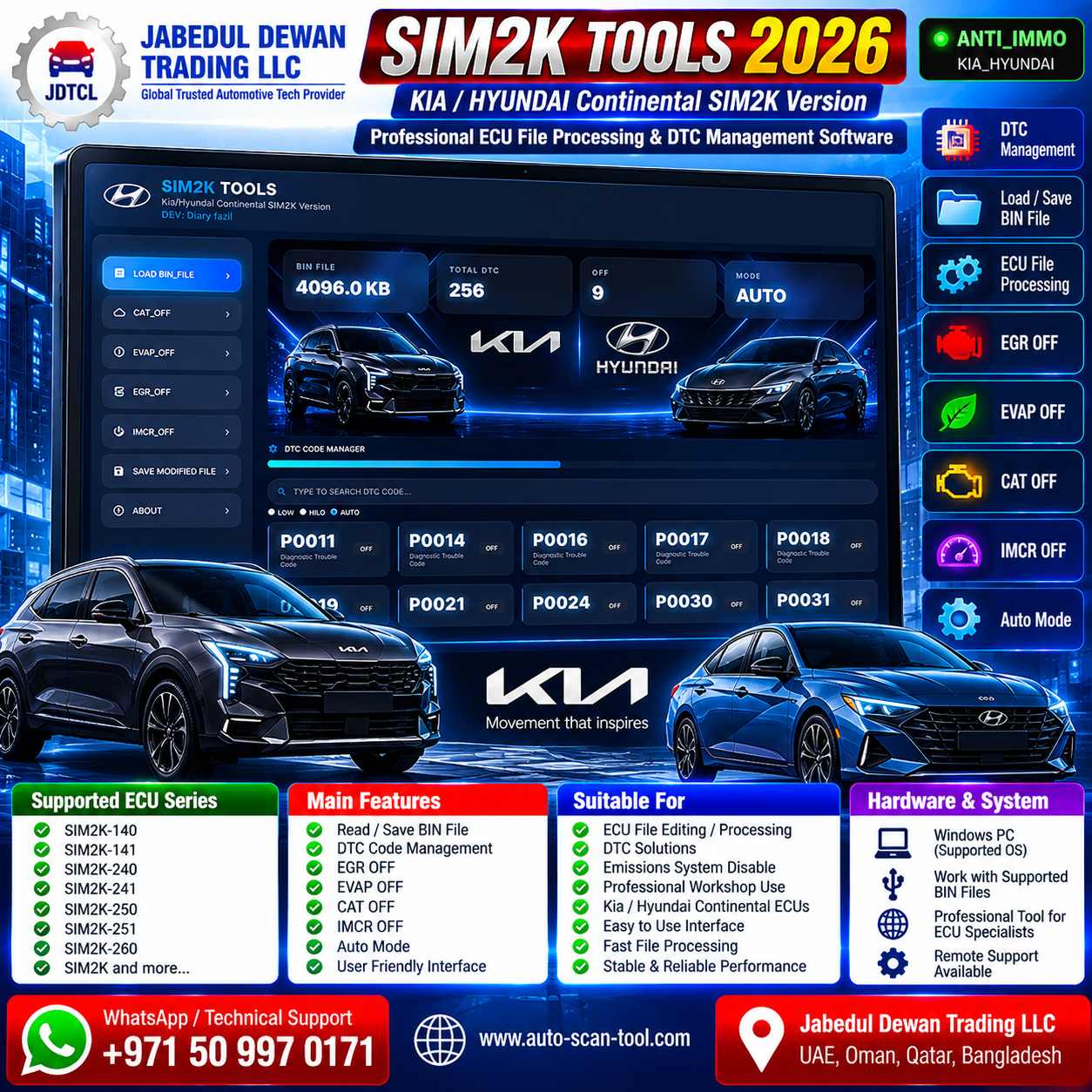
SIM2K Tools 2026 – Kia Hyundai SIM2K ECU BIN File Editor & DTC Manager
SIM2K Tools 2026 is a professional ECU firmware file-processing and diagnostic-code management solution designed for supported Kia and Hyundai SIM2K ECU applications.
The software provides an easy-to-use interface for loading ECU BIN files, automatically scanning supported firmware, identifying available diagnostic trouble codes and managing supported calibration functions.
It is suitable for automotive ECU technicians, diagnostic specialists, ECU programmers and professional electronics workshops working with compatible Kia and Hyundai SIM2K engine control units.
Main Features
- Kia & Hyundai SIM2K ECU file support
- Load ECU BIN files
- Automatic firmware scanning
- Automatic processing mode
- BIN file information display
- DTC database scanning
- DTC code manager
- Individual DTC search
- Individual supported DTC selection
- DTC status display
- Original/modified file workflow
- Save modified BIN file
- Simple graphical user interface
- Fast ECU file-processing workflow
DTC Code Manager
SIM2K Tools 2026 includes an integrated DTC Code Manager for supported ECU files.
After loading a compatible BIN file, the software can scan the firmware and display detected diagnostic trouble codes.
The interface shown supports individual code management for codes such as:
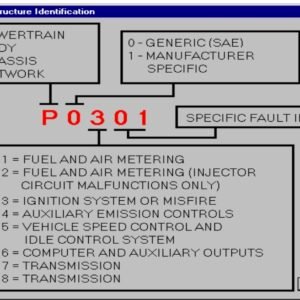
- P0011
- P0014
- P0016
- P0017
- P0018
- P0019
- P0021
- P0024
- P0030
- P0031
These are examples visible in the software interface and should not be interpreted as the complete DTC database.
The exact number and range of available DTCs depend on the loaded ECU firmware.
Calibration Functions
The supplied SIM2K Tools 2026 interface displays dedicated processing options for:
- CAT calibration
- EVAP calibration
- EGR calibration
- IMCR calibration
- DTC management
Function availability depends on the exact ECU type, firmware version, hardware number and software number.
Emission-related calibration functions should only be used where legally permitted, such as appropriate repair, development, testing or motorsport applications.
BIN File Processing
The software provides a straightforward workflow:
Load BIN File → Automatic Scan → Detect Supported Functions → Review DTCs → Process Required Calibration → Save Modified File
The supplied software interface demonstrates processing of a 4096 KB (4 MB) BIN file.
This does not mean every supported SIM2K ECU necessarily uses a 4 MB file.
Supported Vehicle Brands
Primary application:
- Hyundai
- Kia
ECU Support
Designed for compatible SIM2K-family engine control units used in Hyundai and Kia vehicles.
Because SIM2K hardware and firmware vary considerably between vehicles, compatibility should be confirmed from the actual ECU/file identification rather than vehicle brand alone.
Compatibility Check
Before purchasing or processing a file, please provide:
- Vehicle brand
- Vehicle model
- Model year
- Engine type
- ECU manufacturer
- ECU model/family
- ECU hardware number
- ECU software number
- Original ECU BIN file
- File size
- Reading/programming tool used
This allows us to check whether the specific SIM2K ECU/file is compatible.
Suitable for Professional Workshops
SIM2K Tools 2026 is suitable for:
- ECU programming workshops
- Automotive diagnostic workshops
- ECU/TCU specialists
- Automotive electronics technicians
- Calibration specialists
- ECU repair professionals
- Kia/Hyundai specialists
- Professional file-processing services
ECU Programming Tool Compatibility
The BIN file must first be correctly read from the ECU using a suitable professional ECU programming tool.
Depending on the ECU, the reading/writing method may include:
- OBD
- Bench
- Boot
Programming-tool compatibility depends on the exact SIM2K ECU version and protocol.
Always make a complete backup before modifying or programming an ECU.
Important Programming Notes
Use a stable battery-support/power-supply system during ECU programming.
Never interrupt ECU writing once programming has started.
Always keep the original ECU file as a backup.
Verify ECU hardware/software identification before writing a modified file.
Incorrect files or interrupted programming may cause ECU communication or vehicle starting problems.
JDTCL Technical Support
Jabedul Dewan Trading LLC provides professional customer support for compatible automotive ECU programming applications, including:
- Software installation assistance
- Software configuration
- ECU identification assistance
- BIN file compatibility

Reviews
There are no reviews yet.