

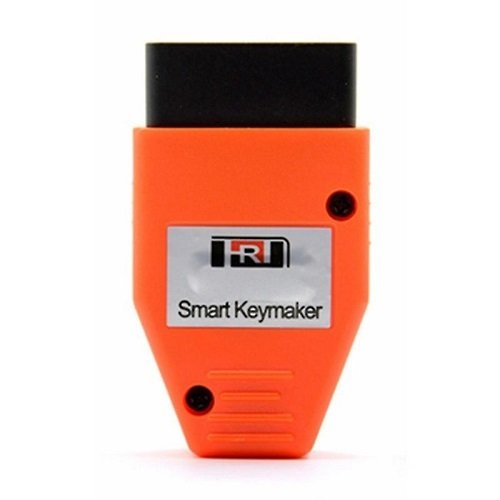


The Smart Keymaker OBD2 for 4D and 4C Chips is a plug-and-play programming tool designed to add or initialize keys for Toyota and Lexus vehicles via the 16-pin OBD2 port. It is frequently used for both adding a spare key and “all keys lost” scenarios without requiring a laptop or complex software.
Key Features
Compatibility: Works with Toyota and Lexus models using 4C and 4D chips, supporting both K-line and CAN-BUS protocols.
Efficiency: Can add a new key in approximately 20 seconds.
Security: Engineered to work with existing anti-theft systems without damaging the vehicle’s security alarm.
Functions: Supports adding a smart key, initializing the system (all keys lost), and matching keys to the immobilizer.
How to Add a Key (Standard Procedure)
Connect: Plug the programmer into the car’s OBD port. You will hear short beep sounds indicating it is searching for the vehicle.
Wake System: Press the car’s Start button twice (without pressing the brake) to wake up the anti-theft module.
Identify System: After about 7 seconds, the device will beep 4 or 5 times (4 beeps for K-line; 5 beeps for CAN-BUS).
Enter Learning Mode: Wait about 30 seconds for a long beep, which signals the car has entered “learning mode”.
Program Key:
Touch the original key (logo side) to the Start button; you should hear two beeps.
Within 5 seconds, touch the new key to the Start button; you should hear another two beeps.
Finalize: Wait 30 seconds until the SEC (security) light flashes, indicating the system has automatically closed the learning mode.
Initialization (All Keys Lost)
If you have no working keys, the process requires holding the LED button on the programmer while plugging it into the OBD port. This process is longer, typically taking 10–16 minutes for the vehicle to enter the learning state.
Are you looking to program a spare key, or do you have a specific Toyota or Lexus model you need to check for chip compatibility?



Reviews
There are no reviews yet.