

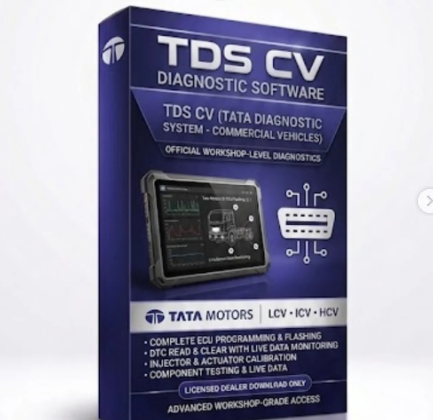
Tata TDS (Tata Diagnostic System) CV (Commercial Vehicle) software is the official OEM-level diagnostic application used by technicians to scan, troubleshoot, and reprogram Tata commercial vehicles.
It is explicitly designed to handle emission standards from older legacy setups up to modern high-tech systems.Core Software FunctionsFull System Scanning: Diagnoses the primary Engine ECU, ABS modules, automatic transmissions, and instrument clusters.
Advanced Adjustments: Performs critical injector coding, DPF regeneration cycles, and actuation of individual components.
ECU Flashing: Allows high-speed flashing and reprogramming of electronic control units utilizing CAN and KWP2000 communication protocols.Live Data Tracking: Displays real-time monitoring streams of engine performance metrics and sensor readings.
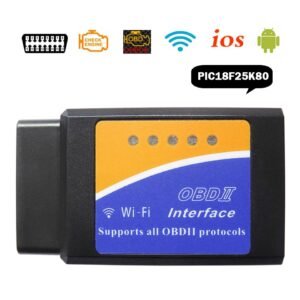
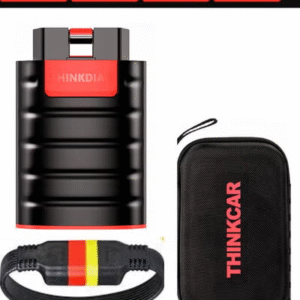
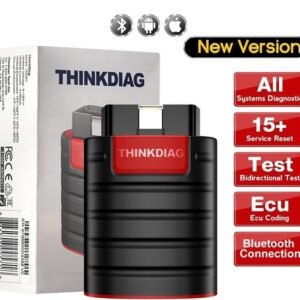
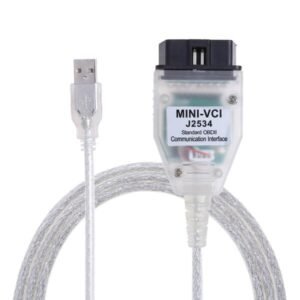
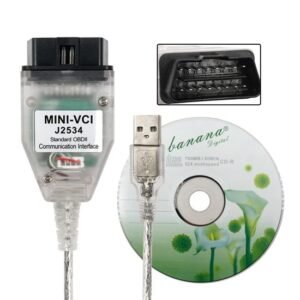
Hardware Compatibility & Vehicles CoveredSupported Hardware: Commonly pairs with official diagnostic interfaces like the ISSBD J2534 Made in Bangladesh, Tata Garuda 2 tool, VXDIAG J2534 Passthrough devices, and the Inline 6 adapter.
Vehicle Emissions Standards: Provides full coverage and diagnostic capabilities for BS3, BS4, and BS6 (including RDE) engine models.
Commercial Vehicle Range: Works seamlessly across Tata’s truck lineup, including popular sub-brands like the Ultra series (1012, 1212, 1518) and standard multi-axle freight trucks.Official Access & Support
Authorized dealers, fleet operations, and certified technicians log into the software via the official Tata Motors Diagnostic Support System Portal. For independent workshops requiring complete software kits, local automotive equipment platforms like ISSBD Bangladesh or Jabedul Dewan Trading llc Vehicle Diagnosis Equipments list commercial diagnostic and flashing sets for purchase.
Are you looking to download an update for your existing software license, or do you need assistance setting up hardware like a Garuda 2 or ISSBD J2534 Pass thru Device scanner?
Tata Tds CV diagnostic software Support list;-
The Tata TDS CV (Tata Diagnostic System Commercial Vehicles) software is the official workshop-level utility designed to scan, program, and clear faults for the complete range of Tata commercial vehicles.
Supported Vehicle ListThe software covers all emission standards, explicitly supporting BS4 and BS6 powertrain systems across these segments:
Light Commercial Vehicles (LCV) & Pickups: Tata Ace (Gold, Zip, Mega), Tata Intra (V10, V30, V50), Tata Yodha, and Tata 407.Intermediate Commercial Vehicles (ICV): Tata Ultra range, 709g, 909g, and 1512.
Heavy Commercial Vehicles (HCV): Tata Signa and Tata Prima tippers, tractors, and multi-axle haulage trucks.
Buses & Vans: Tata Winger, Starbus, and CityRide passenger variants.Supported Systems & FunctionsTDS CV maps deeply into the vehicle architecture to support the following operational modules:
System CoveredKey Diagnostic CapabilitiesEngine Management (EMS)Reads and clears DTCs, live parameter data streaming.Exhaust AftertreatmentDPF (Diesel Particulate Filter) active regeneration, SCR (Selective Catalytic Reduction) reset, and AdBlue system testing.
Safety & BrakesAnti-lock Braking System (ABS) and Electronic Braking System (EBS) troubleshooting.Body & ComfortInstrument clusters, body control units (BCU), and cabin electronics.
Flashing & CodingFull support via the accompanying CVBU Flashing Software for ECU flashing and parameter programming.Hardware & Device CompatibilityThe TDS CV software utilizes the standard J2534 Pass-thru protocol, making it compatible with both official and secondary workshop hardware interfaces:Garuda VCI (Official Tata Motors Interface)ISSBD J2534 / T6 Pro Max (Configured for Tata)DrewTech OpenPort 2.0 & Other verified J2534 standard pass-through cablesSystem RequirementsOperating System: Windows 10 or Windows 11 (64-bit recommended).
Access: Requires valid dealer credentials or specific activation protocols for independent workshop deployment.If you need help setting up the software, tell me:
Which VCI device are you using? (e.g., Garuda, Issbd-J2534, or OpenPort), What operating system is on your laptop?Are you trying to diagnose a BS4 or BS6 vehicle?
I can provide specific installation or troubleshooting steps based on your setup.

Reviews
There are no reviews yet.