

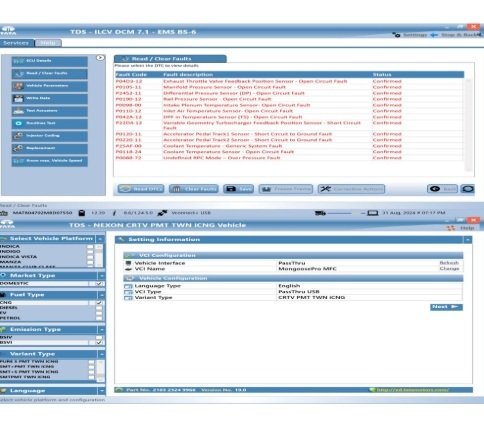
Tata TDS (Tata Diagnostic System) is the official OEM software suite used to diagnose, program, and maintain Tata vehicles.
The suite is split by business unit, with CVBU standing for Commercial Vehicle Business Unit.
Core ComponentsThe complete software package generally includes distinct functional modules:
TDS CV: The primary commercial vehicle application utilized for scanning and reading real-time diagnostics parameters.
CVBU (Flashing): The specific module used for flashing, rewriting firmware, and reprogramming Engine Control Units (ECUs) on commercial vehicles.
Passenger & Utility / PVBU: Parallel modules assigned to Passenger Vehicle Business Unit diagnostic scanning and flashing needs.Key FeaturesAdvanced Diagnostics:
Pinpoints system errors, clears diagnostic trouble codes (DTCs), and reads live vehicle parameters.ECU Flashing: Programs and updates control modules to resolve software bugs or performance defects.Technical Information:
Provides integrated access to wiring layouts and ECU pinout schematics.Supported Hardware InterfacingThe software requires a J2534 protocol-compliant pass-through vehicle communication interface (VCI) to connect a laptop to the vehicle’s OBD port.
Commonly supported hardware devices include:
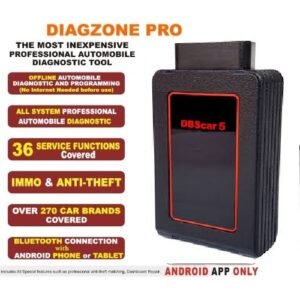
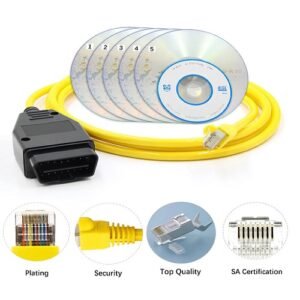
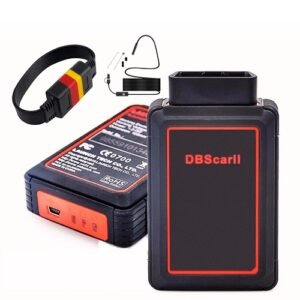
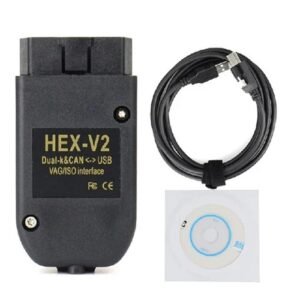
Tata Garuda, ISSBD J2534 Made in Bangladesh, Mini VCI (supporting 12V and 24V applications) Drew Technologies OpenPort 2.
If you are setting up or updating a system, let me know:
What VCI hardware tool are you connecting with?What specific vehicle model or emission standard (e.g., BS6) are you working on?Are you troubleshooting an error code or attempting an ECU reflash?
Tata TDS CVBU Software Support list;-
Tata TDS (Tata Diagnostics System) CVBU (Commercial Vehicle Business Unit) software is the official OEM-level platform used to diagnose, flash, and program Tata commercial vehicles.
📋 Supported Modules & Software ComponentsThe complete Tata OEM suite typically segments its support capabilities across distinct vehicle categories and diagnostic functions:
TDS CV: Dedicated module for standard diagnostic scanning of all commercial vehicles.CVBU Flashing:
Used for writing firmware, flashing ECUs, and updating commercial vehicle modules.
TDS-LCV: Specific diagnostic framework tailored for Light Commercial Vehicles (e.g., Tata Ace, Intra, Yodha).
TDS-MCV & MHCV:
System architecture built to support Medium and Medium & Heavy Commercial Vehicles (e.g., Prima, Signa, Ultra trucks, and heavy buses).TDS Passenger & Utility:
Associated modules included in the bundle to scan and clear fault codes for Tata consumer cars and multi-utility vehicles.PVBU Flashing:
The passenger vehicle division equivalent for firmware updates and flashing.
🛠️ Core Functional CapabilitiesFull System Diagnostics: Reads and clears Diagnostic Trouble Codes (DTCs) across engine, ABS, transmission, and body control modules.
ECU Flashing & Programming: Supports installing new ECUs, parameter tuning, and updating calibrations to meet emissions rules (BS4 to BS6).
Live Data Stream: Displays real-time data capturing with recording and playback functionalities.Wiring Diagrams: Accesses integrated technical layout schematics and connector pinouts directly within the user terminal.
🔌 Compatible Hardware & VCI ProtocolsThe software operates via the J2534 passthrough standard and is widely used alongside the following interface devices:
Garuda VCI: The legacy, official Tata OEM diagnostic hardware.
ISSBD J2534 Passthru Made in Bangladesh. Popular multi-brand passthrough tools frequently paired with TDS CVBU. Openport 2.0:
A budget-friendly J2534 interface used primarily for line-flashing capabilities.
If you are trying to configure a workshop environment, let me know:
Which hardware interface/VCI tool you are using? Whether you are working on BS4 or BS6 commercial vehicles?If you need the specific setup steps for J2534 driver mapping?
Reviews
There are no reviews yet.