

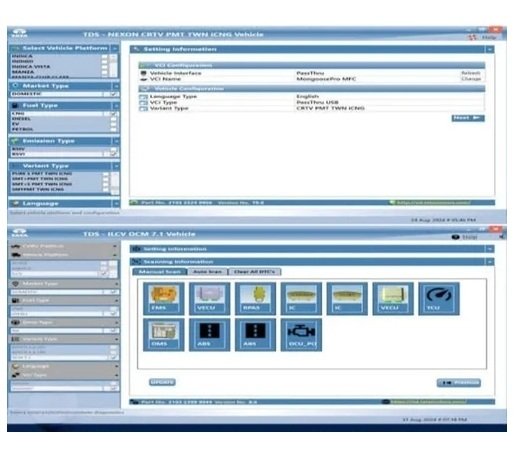
The Tata TDS (Tata Diagnostic System) is the official OEM-level diagnostic and flashing software used for Tata passenger, utility, and commercial vehicles.
It is the primary tool used by authorized service centers and independent workshops to perform deep system configurations, parameter tuning, and troubleshooting across the entire Tata car lineup.
Core Components of the Tata Software SuiteOfficial software packages usually bundle multiple utilities depending on the vehicle division:
TDS Passenger & Utility: Dedicated module for scanning and diagnostic tasks on cars and SUVs.
PVBU (Passenger Vehicle Business Unit) Flashing: Used for updating Engine Control Units (ECUs), programming keys, and modifying software parameters.
TDS CV & CVBU: Separate modules bundled in the software suite meant specifically for Tata commercial trucks and buses.
Essential Hardware Compatibility
The TDS software cannot interface with a vehicle directly via a regular USB cable; it requires a specialized J2534 Pass-Thru Pass or OEM hardware device:ISSBD J2534
Garuda: The official OEM hardware tool manufactured explicitly for Tata dealerships.ISSBD J2534 (with J2534 protocol): A highly popular,
Cost-effective aftermarket interface compatible with the original Tata TDS software.
Tactrix Openport 2.0: Frequently used by independent tuners for basic OBD scanning and bench flashing.Primary Software CapabilitiesWhen connected to a compatible device, the software unlocks dealer-level functionalities: Full ECU Scanning: Reads and clears diagnostic trouble codes (DTCs) from all modules (Engine, ABS, Airbags, BCM).Live Sensor Streaming: Displays real-time data from vehicle sensors for deep mechanical diagnosis.Actuation Tests: Forces individual components (like fuel pumps or cooling fans) to run manually to check for failures.Special Functions: Calibrates steering angles, resets Service Reminders, and handles Diesel Particulate Filter (DPF) regeneration.Procurement and AvailabilityOriginal dealer-level software sets are usually tied to individual PC activation keys.
Diagnostic vendors like Car Tool India and ASL Vehicle Diagnosis Equipments sell full setup packages complete with online activation support and device drivers.
If you are looking to purchase a diagnostic setup, would you like to know more about the exact hardware prices, or do you need help troubleshooting a specific error code on your vehicle?
Support List;-
The official Tata Diagnostic System (TDS) for passenger vehicles provides complete Original Equipment Manufacturer (OEM) diagnostic coverage across Tata’s entire legacy and modern car lineup.
Supported Vehicle ListThe TDS – Passenger Cars application supports all major passenger segments, including older models, modern BS4/BS6 variants, and electric vehicles (EVs).
Hatchbacks: Nano, Indica, Vista, Bolt, Tiago, AltrozSedans: Indigo, Manza, Zest, TigorSUVs & Crossovers: Sumo, Safari, Aria, Hexa, Nexon, Punch, Harrier, Safari (New), CurvvElectric Vehicles (EVs): Nexon EV, Tigor EV, Tiago EV, Punch EV, Curvv EVSupported Hardware Interfaces (VCIs)The TDS software relies on the J2534 Pass-thru protocol.
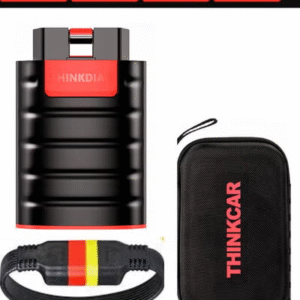
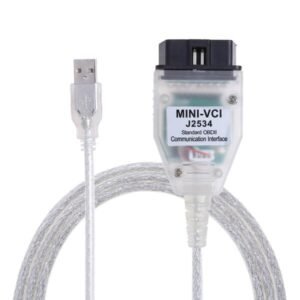
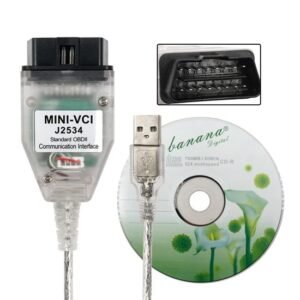
It is universally compatible with standard dealership-grade Vehicle Communication Interfaces (VCIs), including:Garuda / Garuda 2/ISSBD J2534 Made in Bangladesh / Mini VCI, V-connect, Openport 2.0,
Core Functional CapabilitiesWhen paired with the correct hardware interface, the TDS software unlocks full workshop-level diagnostics:
ECU Diagnosis: Scans and clears diagnostic trouble codes (DTCs) for Engine, ABS, Airbags, BCM (Body Control Module), and Immobilizers.
Live Data Monitoring: Provides real-time sensor feeds for fuel trim, battery state of charge (SOC), engine RPM, and cooling systems.
Actuation Testing: Performs functional testing of components such as fuel pumps, radiators, windows, and central locking.Special Functions: Handles complex maintenance tasks like DPF regeneration, SCR resets, steering angle calibrations, and key programming.
ECU Flashing (PVBU Module): Enables software updates and flashing for modern Tata modules.If you are setting up this system, would you like to know the minimum PC hardware requirements to run TDS, or do you need help troubleshooting a specific connection issue with your VCI?


Reviews
There are no reviews yet.