

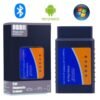
Techstream Version 18 Software Download
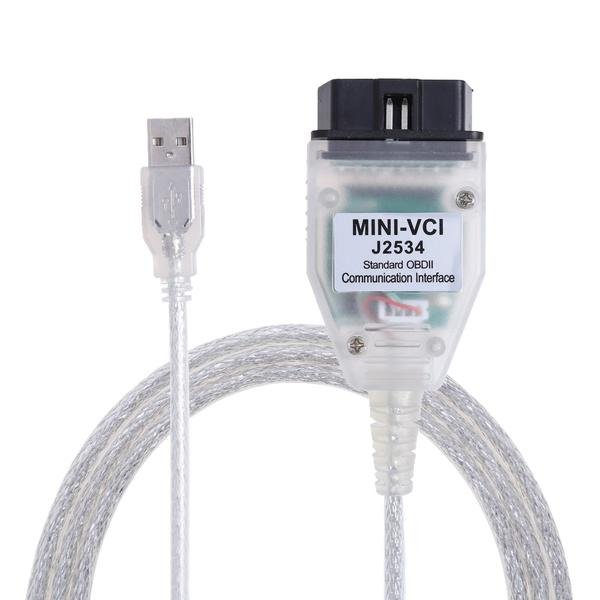
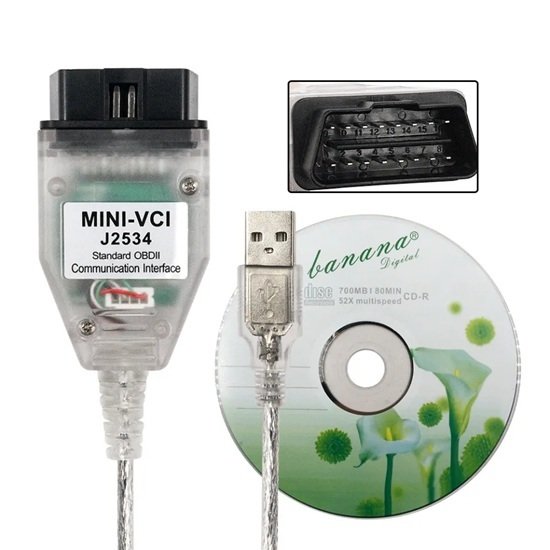
The Techstream Mini VCI J2534 is an affordable, dealer-level diagnostic interface designed to connect a Windows-based laptop to a vehicle’s onboard computer via the OBD2 port. It is primarily built for Toyota, Lexus, and Scion vehicles but can also support Honda and Nissan when paired with their specific software.
Core Functions & Capabilities
Unlike basic code readers, this tool provides deep access to all electronic modules, including the engine, transmission, ABS, and airbags.
Diagnostics: Read and clear manufacturer-specific diagnostic trouble codes (DTCs) and view real-time sensor data.
Customization: Modify vehicle settings not typically accessible, such as door lock behavior, lighting, and seatbelt warnings.
Maintenance: Perform service procedures like sensor calibration, injector coding, and electronic parking brake resets.
Key Programming: Register new keys or remotes for supported models.
Compatibility & Requirements
Vehicles: Full support for Toyota, Lexus, and Scion models from approximately 1996 to 2023. It also supports Honda (using HDS software) and Nissan (using Consult software).
Operating Systems: Compatible with Windows XP, 7, 8, 10, ( 64-bit).
Hardware: Typically uses a high-performance ARM CPU and an authentic FTDI FT232RL chip to ensure a stable USB connection.
Important Usage Notes
Software Installation: Setting up the drivers and Techstream software can be technically challenging. Many users recommend disabling firewalls and antivirus programs during installation, as some drivers may be flagged as false positives.
Internet Connection: It is widely advised not to connect to the internet while the software is active, as it may attempt to update and disable the unauthorized version of the tool.
Virtual Machines: For newer 64-bit systems, many users find it easier to run the software within a Windows XP or Windows 7 virtual machine.
Are you looking for a specific software version or help with the installation process for a particular vehicle model?
You can buy the Techstream Mini VCI J2534 USB Car Diagnostic Tool in Dubai directly from Jabedul Dewan Trading LLC, an authorized dealer and importer of automotive diagnostic devices.
Physical Store Location
Business Name: Jabedul Dewan Trading Co, LLC
Address: Shop F98, 1st Floor, Al Fahidi Souk (DM Market), near Nesto Hypermarket, Meena Bazaar, Bur Dubai, Dubai, UAE
Contact Number: +971 50 997 0171 (available via phone and WhatsApp)
Opening Hours: 9:00 AM – 11:00 PM (Daily)
Tool Features & Compatibility
OS Support: Compatible with Windows 7, 8, and 10 (64-bit).
Hardware: J2534 standard OBD2-to-USB cable typically bundled with TIS Techstream software.
Would you like to know if they provide installation assistance or remote software activation for this specific tool?
Buying a Techstream Mini VCI from Jabedul Dewan Trading is often recommended because they provide specialized, hands-on technical support that simplifies a notoriously difficult setup process.
Why Customers Choose Jabedul Dewan Trading
Expert Remote Installation: They offer dedicated remote assistance via tools like Untraviewer to handle the software installation and configuration for you.
License Activation: After you provide your software ID, they personally send the required license key to activate the software for your computer.
Comprehensive Software Packages: Their bundles often include the latest Techstream versions (such as V18) and additional tools like Toyolex3 for ECU editing, DTC, and IMMO functions.
Accessibility for Beginners: The seller explicitly targets users who may have limited computer knowledge, offering to do the “heavy lifting” of the installation.
Global Support: Their services and software licenses are designed to work for vehicles and users worldwide, covering USA, Europe, Japan, and other regions.
Product & Support Highlights
Hardware Quality: They typically supply Mini VCI J2534 cables with high-reliability SMD chips and built-in ARM CPUs, supporting Toyota/Lexus models from 1996 to 2023.
Setup Resources: In addition to remote help, they provide practical installation videos—often on a pen drive—to guide you through the process.
Diagnostic Capabilities: The tool supports deep functions like key programming, ECU replacement, and coding, provided your vehicle and software version support them.
Would you like to know the system requirements for running Techstream on your laptop before purchasing?
Reviews
There are no reviews yet.