



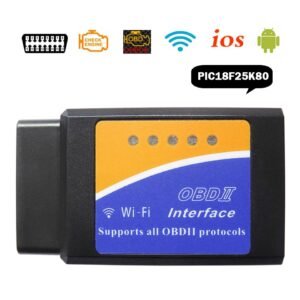
The Toyota G and H Chip OBD Remote Key Programming Device is a portable, plug-and-play tool designed to add spare transponder keys and remotes to Toyota vehicles using G-chip (4D67, 68, 72) or H-chip systems via the OBD2 port. It is primarily intended for “Add-a-Key” scenarios and typically does not work if all keys are lost.
Core Functions & Compatibility
Supported Chips: Works with Toyota G and H transponder chips (4D67, 68, 72(G)).
Vehicle Examples: Successfully tested on models like the 2015 Camry, Highlander, and RAV4.
Key Requirement: You must have one working master key to use this device.
Push Start: Generally not compatible with push-to-start (Smart Key) models.
Programming Instructions
The device features a toggle switch on its side to select between adding a transponder (chip) or a remote control.
Step Adding a Transponder (Chip) Adding a Remote Control
1. Switch Position Flip switch to the LEFT. Flip switch to the RIGHT.
2. Preparation Close all doors. Insert master key into ignition and turn to ON. Close all doors. Insert master key and turn to ON.
3. Connect Device Plug device into the OBD2 port. It will beep twice. Plug device into the OBD2 port. It will beep once.
4. Initiation After more beeps, the anti-theft light will stay on. After a double-beep (“Dee-Dee”), open the driver’s door.
5. Registration Remove master key (light flashes). Insert new key (do NOT turn). Light will turn off when done. When you hear a blaring sound, press Lock & Unlock together on the new remote, then press Lock once.
Usage Tips
Battery Health: Ensure your car battery is fully charged; low voltage is a common cause of programming failure.
Time Sensitivity: The transponder process may take 2–3 minutes for the anti-theft light to illuminate.
Safety: The device uses the standard OBD2 protocol and does not require a laptop or external software.
Would you like to check if your specific Toyota model and year are confirmed to work with this device?

Reviews
There are no reviews yet.