

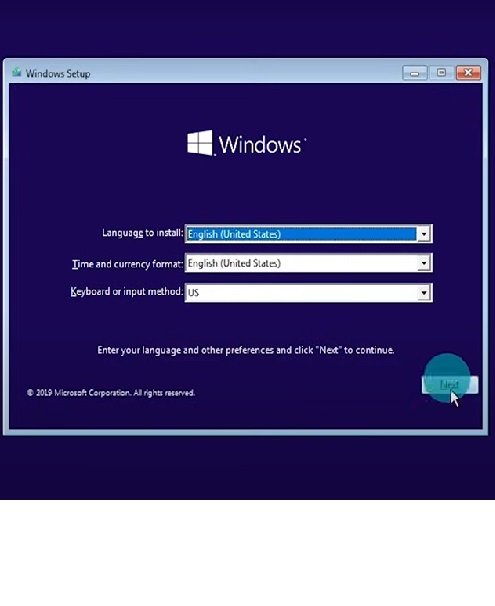


Windows USB Installation Guide
This page offers general USB installation guidance for a compatible diagnostic computer. Choose the operating-system edition and architecture required by the diagnostic software and supported by the computer before creating installation media.
Support and Applications
Compatible Windows computers; USB installation media prepared with the appropriate Microsoft tool; diagnostic applications and interface drivers approved for the selected operating system.
Requirements and Service Scope
Back up the computer and record required software licences first. Obtain installation media from Microsoft, create the USB using its documented procedure, then follow the computer manufacturer’s boot instructions. Select the intended disk carefully, complete Windows setup and install the correct hardware drivers before diagnostic software. Windows activation and application licences are separate. This legacy Windows 10 listing does not establish that Windows 10 remains supported for your use; check current Microsoft support and security options before choosing it.
Jabedul Dewan Trading LLC
For application checks and assistance, WhatsApp +971 50 997 0171. Confirm availability, included services and any applicable charges before ordering.






Reviews
There are no reviews yet.