

Dongle Manager 0.1.2 for PCMFlash – Windows 10 x64
DOWNLOAD
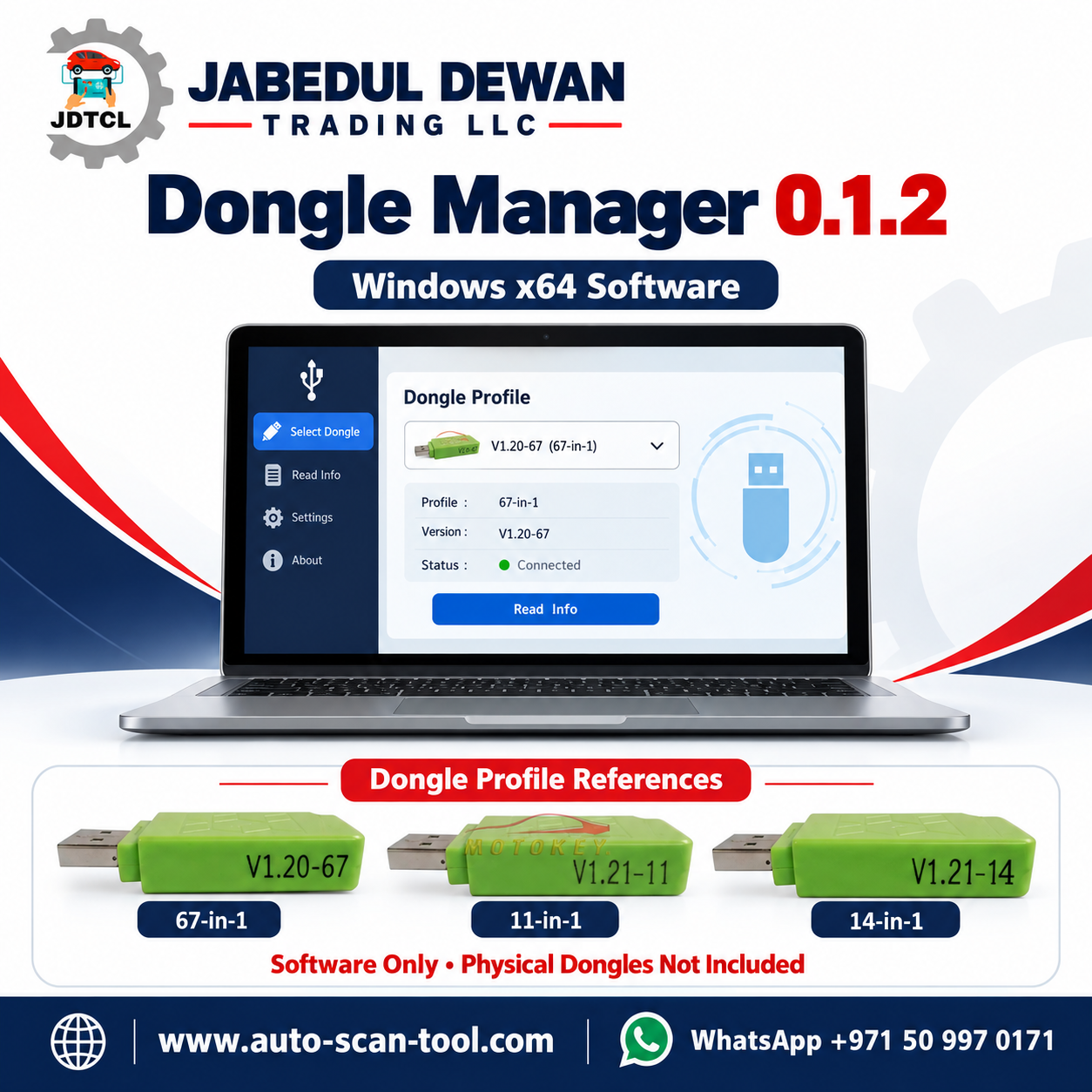
Dongle Manager 0.1.2 is a Windows application designed to emulate selected third-party clone USB dongles used with specific PCMFlash versions. It provides a single interface for choosing a dongle profile, connecting or disconnecting it, checking required drivers and launching the matching PCMFlash application.
According to the supplied package documentation, the software supports 67-in-1, 14-in-1 and 11-in-1 profiles. It is a third-party application; official PCMFlash affiliation and licence entitlement have not been established.
Supported Profiles
- 67-in-1: PCMFlash 1.2.0 — 67 modules.
- 14-in-1: PCMFlash 1.2.1 — 14 modules.
- 11-in-1: PCMFlash 1.2.1 — 11 modules.
These figures describe the supplied profile configurations. A complete module-by-module ECU and vehicle support list has not been provided. Confirm the exact ECU, required module, interface and operation before use.
System Requirements
- Windows 10, 64-bit.
- Administrator access for the initial driver installation.
- Required drivers supplied with the package.
- The PCMFlash version matched to the selected profile.
Windows 11 compatibility is not confirmed in the supplied documentation.
Main Features
- Select between three supplied dongle profiles.
- Connect and disconnect the emulated dongle.
- Check for missing drivers.
- Launch the matching PCMFlash version.
- Restart the dongle connection when necessary.
- Save application settings and diagnostic logs locally.
- Prevent multiple application instances from running simultaneously.
Setup and Operation
- Extract the complete ZIP archive into a folder before starting.
- Review the software source and security warnings before running the executable or installing drivers. The supplied application is unsigned.
- Open
DongleManager.exeand select Check drivers. - Install any required missing drivers. Administrator access and a Windows restart may be necessary.
- Select the profile matching the intended PCMFlash version.
- Click Connect dongle, then Launch PCMFlash.
The supplied documentation states that newer PCMFlash releases are unsupported. Do not update the bundled application without confirming compatibility first.
Connection Controls
Connect / Disconnect: Starts or stops the dongle connection. Selecting Connect again while connected does not create another connection.
Restart: Restarts the dongle connection. Close PCMFlash before using this control.
Launch PCMFlash: Opens the application associated with the selected profile.
Working with an ECU
Keep Dongle Manager open and connected throughout an ECU operation. Do not disconnect, restart the dongle, close the application or interrupt power while PCMFlash is reading or writing an ECU. Follow the instructions for the exact ECU, interface and supported module.
Troubleshooting
- Dongle not detected: Close PCMFlash, disconnect and reconnect the dongle, then reopen PCMFlash.
- Module list appears empty after reconnecting: Restart PCMFlash and check the selected profile.
- Driver installer becomes unresponsive: Restart Windows before trying the installation again.
- Application will not open a second time: Check whether it is already running.
- Further diagnosis required: Review the logs in the
datafolder.
Package Contents
DongleManager.exe— main application.apps— matching PCMFlash applications.profiles— supplied dongle profiles.prerequisites— driver installers.data— settings and logs, created on first use.
Product Assistance
Contact Jabedul Dewan Trading LLC to confirm the package version, application requirements and availability.
Website: www.auto-scan-tool.com
WhatsApp: +971 50 997 0171
SEO Title: Dongle Manager 0.1.2 for PCMFlash | Windows x64
Meta Description: Explore Dongle Manager 0.1.2 for Windows 10 x64, including supplied PCMFlash profiles, driver requirements, package contents and compatibility notes.
Focus Keyword: Dongle Manager 0.1.2
Tags: Dongle Manager, PCMFlash, Windows 10 x64, Dongle Profiles, Driver Setup, Automotive Software






Reviews
There are no reviews yet.