


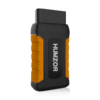

An OBD2 Breakout Box is a diagnostic bridge that connects between a vehicle’s OBD2 port and a scan tool, providing safe and direct access to all 16 pins for real-time monitoring and electrical testing.
Core Functions
Signal Monitoring: Built-in LEDs provide instant visual feedback on power, ground, and communication status for each pin.
Safe Probing: Allows technicians to connect multimeters or oscilloscopes via 4mm banana jacks to measure voltage and waveforms without damaging the vehicle’s delicate Diagnostic Link Connector (DLC) terminals.
Protocol Detection: Identifies which communication protocols (like CAN Bus, K-Line, or J1850) are active on the vehicle.
Voltage Testing: Monitors the input voltage from the vehicle and can trigger alarms for low-voltage conditions, which is critical during ECU programming.
Data Preservation: Can be used to save vehicle data and settings during battery replacement by connecting an external power source to the breakout box while it is plugged into the OBD2 port.
Standard 16-Pin OBD2 Pinout Reference
Most breakout boxes follow the standard SAE J1962 pinout:
Pin Function Description
4 Chassis Ground Main ground connection to the vehicle frame.
5 Signal Ground Reference ground for data communication.
6 CAN High High-speed data line (ISO 15765-4).
14 CAN Low High-speed data line (ISO 15765-4).
7 K-Line Communication for older ISO 9141-2 / ISO 14230-4 protocols.
15 L-Line Wake-up signaling for older protocols (optional).
2 J1850 Bus+ Used in older Ford (PWM) and GM (VPW) vehicles.
10 J1850 Bus- Used in older Ford (PWM) vehicles.
16 Battery Power Constant +12V power from the battery.
How to Use
Connect to Vehicle: Plug the breakout box’s male 16-pin connector into the car’s OBD2 port (usually under the driver’s side dashboard).
Verify Power/Ground: Ensure the LEDs for Pin 16 (Power) and Pins 4/5 (Ground) are illuminated.
Attach Scan Tool (Optional): Plug your diagnostic scanner into the female port on the breakout box to monitor data while the scanner is running.
Probe Specific Pins: Use test leads or jumpers to connect your multimeter to the corresponding numbered jacks for advanced troubleshooting.
Do you need help interpreting specific voltage readings or waveforms from your CAN High and CAN Low pins?


Reviews
There are no reviews yet.