

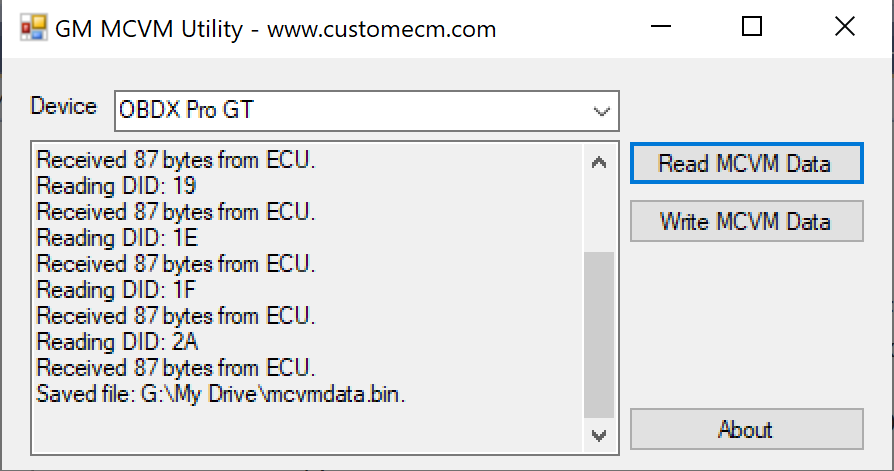
GM MCVM Utility (J2534 only)
This utility will read and write the MCVM solenoid characterization data from GM 8+ speed transmission modules. This currently works on T87, T87A and T93 modules. It accepts and writes files in the standard GM supplied format. NOTE: THIS IS NOT AN UNLOCK OR FLASH TOOL. IT WILL NOT READ/WRITE THE FLASH CONTENTS OF THE TCU.
Download Link
My stock tune file repository (click here) has a sampling of these files for different vehicles. It is recommended to use the exact MCVM data for your transmission/valve body, but in many cases being “close” has worked well for me, especially if you’re modifying the tune. Please email me if you need a specific calibration.
The phrase refers to a specialized automotive programming function within General Motors (GM) service software used alongside third-party hardware.Specifically, “MCVM Utility Support Device J2534 only” indicates that you are using GM’s Mechanical Characterization and Virtual Matching (MCVM) utility menu, and it is explicitly configured to communicate via a generic, standard J2534 pass-thru programming device rather than GM’s proprietary dealership hardware (like the MDI or MDI2).What is the MCVM Utility?When you service modern GM 8-speed, 9-speed, or 10-speed automatic transmissions (such as the 8L90, 9T50, or 10L1000), the solenoids inside the valve body are manufactured with highly specific flow tolerances.The Problem: No two solenoids perform exactly alike.The Solution: Every solenoid is assigned a unique tracking number—either a Part Unique Number (PUN) or a Transmission Unique Number (TUN).The Utility: The MCVM process allows a technician to log into GM Techline Connect (SPS2), input these alpha-numeric codes, and pull the factory “characterization data” from the GM cloud down into the Transmission Control Module (TCM). This maps virtual profiles to the mechanical parts so the transmission shifts smoothly.What does “J2534 Only” mean?SAE J2534 is an international standard that forces automakers to allow independent mechanics to program vehicle modules using universal, non-OEM hardware.Hardware Choice: Choosing the “J2534 only” option in your GM programming suite tells the software to look for a third-party pass-thru device (such as an Autel MaxiFlash, Drew Technologies CarDAQ, or Snap-on Pass-Thru).Support Policy: Selecting this option alerts you that GM’s tech support will only help you with software issues. If the data transfer fails due to a hardware connection or driver error, you must contact your third-party tool manufacturer for support.When do you use this menu?You will use this specific pathway anytime you perform one of the following on a late-model GM vehicle:Replace the transmission assembly.Replace the transmission valve body.Replace individual transmission solenoids.Install a new or replaced Transmission Control Module (TCM).If you are currently setting up a module programming session, tell me:What year and model GM vehicle are you working on?Which J2534 hardware tool are you using?Are you receiving a specific error code (e.g., E-9111 or E-4403)?I can give you the exact sequential steps to get the calibration files to write successfully.



Reviews
There are no reviews yet.