


To fix a tire pressure sensor fault, you should first ensure all tires are correctly inflated and then attempt to reset the system. If the fault persists, it likely indicates a failed sensor that needs replacement.
Step 1: Check and Adjust Tire Pressure
Before troubleshooting the electronics, verify that the physical tire pressure is correct.
Find the Correct PSI: Look for a sticker on the driver’s side door jamb for the recommended “cold” tire pressure.
Check All Tires: Use a manual gauge to check all four tires plus the spare, as many modern vehicles include a sensor in the spare tire.
Inflate to Spec: Adjust the pressure to match the manufacturer’s recommendation. Often, correcting the pressure will automatically clear the light after a short drive.
Step 2: Reset the TPMS System
If the tires are properly inflated but the “Sensor Fault” message remains, try these common reset methods:
Drive the Vehicle: Drive for about 10–15 minutes at speeds above 30–50 mph. This allows many systems to automatically recalibrate and recognize the correct pressures.
Use the Reset Button: Some cars have a dedicated TPMS reset button, typically located under the steering wheel, on the dashboard, or in the glove compartment.
Turn the ignition to the “on” position (engine off).
Hold the button until the TPMS light blinks three times.
Start the car and drive for 20 minutes to complete the reset.
Infotainment Menu: On newer vehicles, navigate through the dashboard settings menu (e.g., Settings > Vehicle > TPMS Calibration) to initiate a “relearn” process.
Step 3: Diagnose and Replace Faulty Sensors
If resetting doesn’t work, one or more sensors may be physically damaged or have a dead battery.
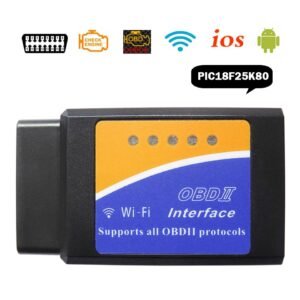
Identify the Dead Sensor: A flashing TPMS light that eventually stays solid usually indicates a sensor failure. Use an OBD2 scanner or a specialized TPMS scan tool to identify exactly which sensor is failing to transmit.
Sensor Lifespan: TPMS batteries typically last 5 to 10 years and are sealed units, meaning the entire sensor must be replaced when the battery dies.
Professional Replacement: Replacing a sensor requires breaking the tire bead to access the valve stem from inside the wheel. While it can be a DIY task with tools like a bead breaker, most drivers prefer visiting a tire shop like Discount Tire to ensure proper balancing and programming of the new sensor.
Jabedul Dewan Trading Co, LLC is a prominent Dubai-based supplier specializing in automotive diagnostic scanners, ECU programming tools, and tuning software. They are an authorized dealer for major brands including Thinkcar, Jdiag, TopDiag, and Humzor.
Best-Sellers and Popular Products
Their inventory features a wide range of high-performance tools for both light and heavy-duty vehicles:
Thinkdiag 2: A highly popular full-system OBD2 code reader supporting CAN FD protocols and extensive reset functions.
PCMflash: A critical software complex for working with engine control units (ECU) and automatic transmissions (AT) across brands like Volkswagen, Toyota, and Ford.
Ecuhelp KT200 / KTFlash: Used extensively for ECM and TCM programming.
VNCI 6154A: A diagnostic scanner for VAG Group vehicles that supports online ODIS software installation and activation.
Micropod 2: Equipped with wiTech software for specialized Chrysler/Dodge/Jeep diagnostics.
Services and Training
The company provides a comprehensive ecosystem for automotive professionals:
Sales & Service: They offer worldwide sales through their Official Website and Amazon.ae storefront.
Support & Training: They are known for providing 24-hour technical support and often include installation and operating videos with their tools to facilitate “free training” or self-guided learning.
Specialized Software Services: They provide “Online Login Services” for dealer software like GM Techline Connect and specialized file services for ECU tuning (DTC off, IMMO off).
Business Details
Location: Nesto Hypermarket, Meena Bazaar – Shop F98, Bur Dubai, UAE.
Contact: +971 50 997 0171 (WhatsApp available).
Hours: Open daily from 9:00 AM to 11:00 PM.
Would you like to know more about a specific brand of scanner or details on their ECU tuning file services?
Reviews
There are no reviews yet.