

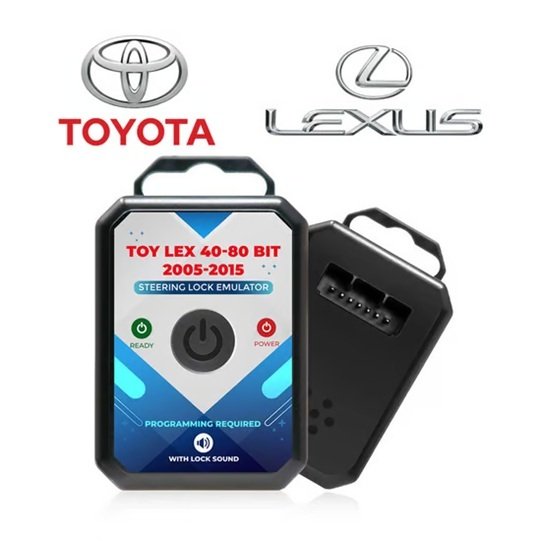

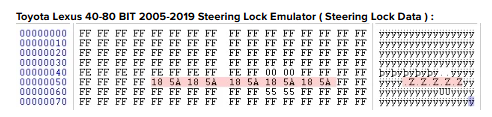
The Toyota/Lexus 40-80 Bit 2005-2019 Steering Lock Emulator bypasses failed or jammed Electronic Steering Locks (ESL/ELV). To function and sync properly with the vehicle’s immobilizer and ECU, it requires EEPROM programming to transfer the original steering lock data onto the emulator chip.
🛠️ What You Need for Programming
- Original Steering Lock Data: You must extract the memory/synchronization data from the original (or working) ESL module.
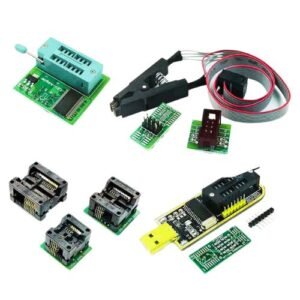
- Programmer/Tool: An EEPROM programmer (such as VVDI PROG, Orange5, or X-Prog) to read and write the binary files.
- Compatible Emulators: Available from brands like MK3 (Part: MK20010 / 81900-G2700
- 💻 Step-by-Step Programming Process
- Remove Original ESL: Locate and remove the original steering lock module from the steering column.
- Read the EEPROM: Solder the EEPROM chip (usually 24C04 or 24C16) from the original ESL board to your programmer, or use clips to read it on-board.
- Save the Dump File: Read and save the original data dump to your computer.
- Write to Emulator: Connect the emulator to the programmer, open the emulator software or programmer interface, and write/flash the saved original dump file into the emulator’s memory.
- Install and Test: Unplug the programmer, plug the newly programmed emulator into the car’s original ESL harness. You should hear the realistic lock/unlock sound verifying that the unit is active.
⚙️ Compatible Vehicles (2005-2019)
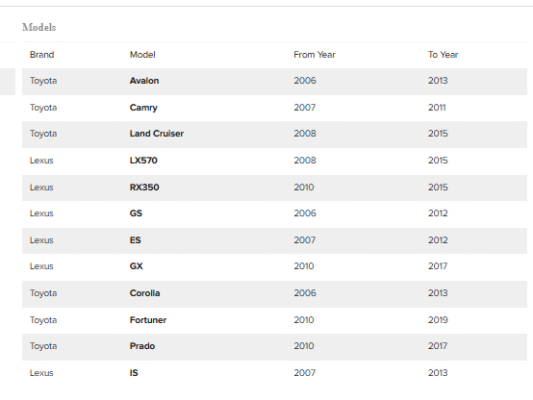
This emulator covers 40-bit and 80-bit transponder keys on the following models:
- Toyota: Avalon (2006-2013), Camry (2007-2011), Corolla (2006-2013), Fortuner (2010-2019), Land Cruiser (2008-2015), Prado (2010-2017).
- Lexus: ES (2007-2012), GS (2006-2012), IS (2007-2013), RX350 (2010-2015), LX570 (2008-2015).
If you need help, tell me:
- What specific EEPROM programmer do you have on hand?
- Do you know the exact model year of the car?
I can provide specific pinouts or step-by-step reading/writing instructions.
Support List::-



Reviews
There are no reviews yet.