

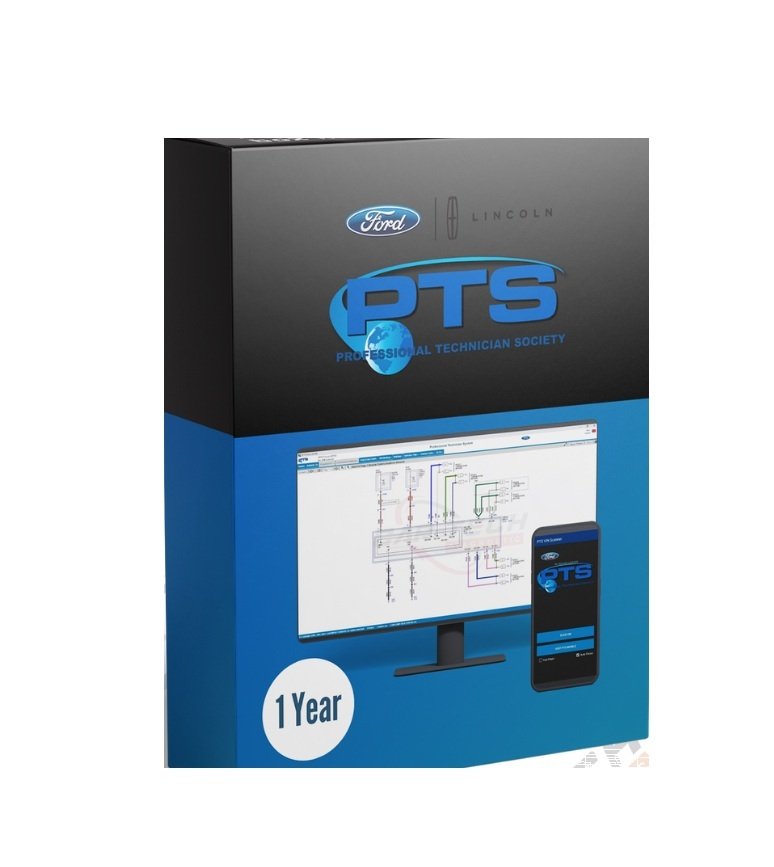
The Ford PTS (Professional Technician System) online login is a secure web portal used by authorized dealership technicians, independent mechanics, and automotive repair professionals to access Ford’s official OEM repair data, diagnostic resources, and service information.
The Ford PTS (Professional Technician System) online login service purchased from Jabedul Dewan Trading LLC provides third-party repair shops and independent mechanics with official, dealership-level access to Ford’s proprietary diagnostic, programming, and repair database.
What is Ford PTS?
Ford PTS is the official web portal used by Ford dealership technicians. By purchasing a login slot or service subscription through an automotive specialist like Jabedul Dewan Trading LLC, independent garages bypass traditional dealership restrictions to gain full access to:
- OEM Diagnostic Data: Live wiring diagrams, technical service bulletins (TSBs), and factory service manuals.
- Module Programming: The ability to flash, update, and program Ford Engine Control Units (ECUs), Body Control Modules (BCMs), and replacement keys via J2534 pass-thru hardware.
- Vehicle History: Official Ford service histories, recall tracking, and specific vehicle build data.
Who is the Seller?
Jabedul Dewan Trading LLC is a Dubai-based automotive diagnostic and OEM software vendor. They specialize in selling advanced vehicle scanners, programming tools, and remote OEM software installations (such as Toyota Techstream, VAG ODIS, and Ford FDRS/PTS).
What is Included with “Free Technical Support”?
Because setting up factory accounts, managing tokens, and configuring pass-thru devices can be highly technical, the “free technical support” included with this purchase usually covers:
- Remote Setup: Installation and login configuration via software like TeamViewer or AnyDesk to ensure your PC communicates properly with Ford’s servers.
- Troubleshooting: Resolving error codes during module programming or login credential issues.
- Hardware Validation: Making sure your vehicle communication interface (VCI) maps correctly to the PTS system.
How to Proceed
If you need to buy this service, troubleshoot an active login, or activate your remote setup, you can reach out directly to the seller via the Jabedul Dewan Trading LLC WhatsApp Business Profile or contact them via email at automotivescanneruae@gmail.com.
Are you trying to set up a specific J2534 pass-thru device (like an DrewTech CarDAQ or a VCX Nano) with this Ford login, or do you need help contacting the seller for a purchase?
Key Features of Ford PTS
Logging into the PTS portal provides technicians with critical repair tools, including:
- OASIS Access: The Online Automotive Service Information System checks vehicle-specific VIN details, field service actions, open recalls, and warranty histories.
- Workshop Manuals: Step-by-step factory repair and maintenance instructions.
- Wiring Diagrams: Complete electrical schematics used to troubleshoot complex electrical issues.
- TSBs: Technical Service Bulletins issued by Ford to resolve common vehicle malfunctions.
- PATS Support: Information regarding the Passive Anti-Theft System for key programming assistance.
Who Can Access It?
- Ford Dealership Technicians: Access is granted directly through Ford’s internal corporate network (FMCDealer portal).
- Independent Repair Shops: Non-dealership mechanics can purchase paid subscriptions to access official service data through platforms like Nexus Auto’s Ford PTS Access Portal or Ford Motorcraft service sites.
(Note: If you are a vehicle owner looking for your vehicle’s manual, service history, or sync updates, you need the standard consumer My Ford Account Login rather than the professional PTS system).
If you are trying to use the portal, let me know:
- Are you a dealership employee or an independent mechanic?
- Are you facing a specific login error code?
- Do you need help finding diagnostic software like FDRS or IDS?
I can provide the exact steps or troubleshooting links based on your role!


Reviews
There are no reviews yet.